
Live TV: Smart IPTV Player
Storm Tech LabVideo Players & Editors
0.00.00 Reviews
- Version
- 1.0.1
- Installs
- 500.00K
- Age Rating
- Everyone
Screenshots
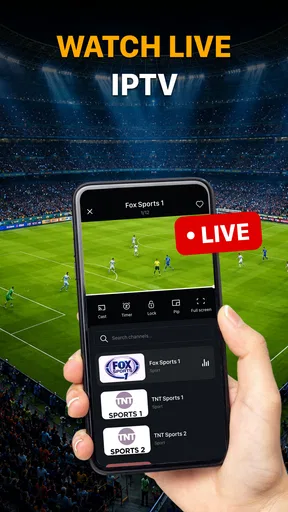
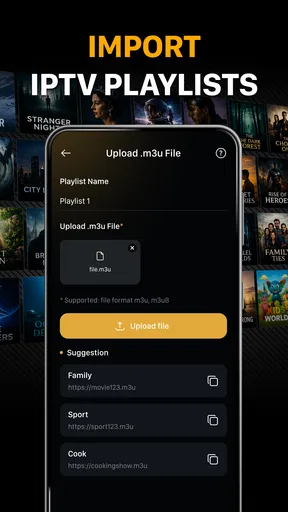
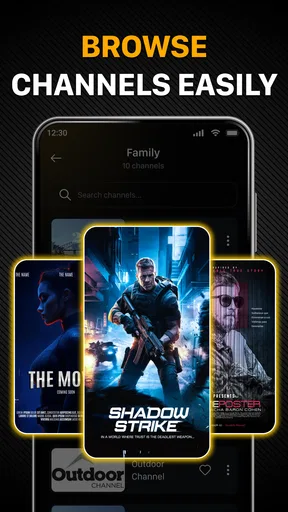
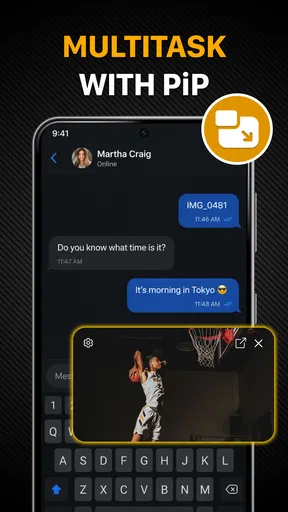
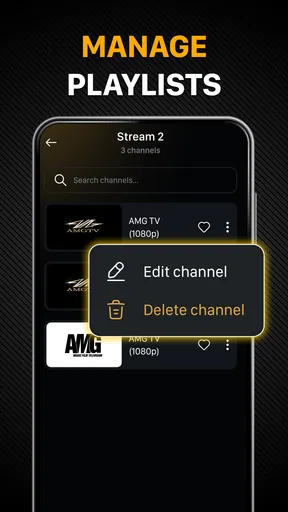
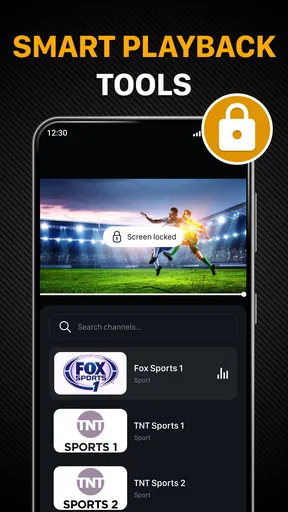
Our Review of Live TV: Smart IPTV Player
 Analysis by Appyee
I approached Live TV: Smart IPTV Player as a practical tool rather than a replacement for a full television service. Its purpose is straightforward: it gives me a place to use M3U playlists for live television, with an emphasis on keeping the viewing experience simple. That focus is its main appeal, but it also defines its limits. This is useful for someone who already has a legitimate playlist and wants a lightweight way to watch it, not for someone expecting channels, subscriptions, or programming to appear automatically.
After spending time with it, my overall view is positive but measured. The app sits in the video players and editors category, and Storm Tech Lab has kept the concept easy to understand. There is no need to learn a complicated media center before trying to watch something. At the same time, an IPTV player is only as useful as the playlist behind it, so the quality of the experience depends heavily on the source you bring to the app. That distinction matters more here than it would with a conventional streaming service.
What makes the player useful in everyday viewing
The strongest part of this app is the clear separation between the player and the television source. I can think of it as a viewing window for an M3U playlist rather than a broadcaster. That makes it suitable for people who have access to a lawful playlist from a provider, organization, or personal media setup and want to use it on an Android device without building a larger entertainment system around it.
The simple design is especially helpful when the goal is to get from a playlist to live viewing with as little distraction as possible. Many media applications try to cover movies, local files, music, casting, recording, recommendations, and account features all at once. That can be useful for some households, but it can also make a basic live-TV task feel unnecessarily complicated. This player’s narrower purpose gives it a more approachable starting point.
I also like the fact that the app does not pretend to be a content provider. The name and description point toward playlist-based viewing, so the user can make a sensible decision before installing it. If you already understand what an M3U playlist is, the intended workflow is easy to grasp: obtain a compatible playlist from a trusted source, add it to the player, and use the app to access the streams it contains.
That workflow creates an important practical advantage. I am not forced to reorganize my entire viewing setup just because I want to test a different player. Someone who has received a playlist for community television, a private media collection, or a legitimate IPTV package can use a dedicated application instead of relying on a browser tab. The result is a more focused viewing environment, particularly on a phone or tablet used around the home.
There is also value in the app’s modest system requirement. It supports Android devices running version 7.0 or later, which covers a broad range of still-useful phones and tablets. I would not describe that as a guarantee of identical performance on every device, because stream quality and hardware vary, but it does make the app relevant to people who are not using the newest handset. The current release is version 1.0.1, so I would approach it as a relatively early product and keep expectations realistic about how mature its workflow may feel.
One useful habit is to prepare the playlist before blaming the player for a viewing problem. If a channel fails, I would first check whether the same entry works elsewhere, whether the playlist is still valid, and whether the source is currently online. This is a non-obvious but important trade-off with IPTV software: the player can present a stream, but it cannot repair an expired link, an overloaded provider, or a source that was never compatible with the device.
For that reason, I would keep a clean copy of the original playlist and avoid editing it casually. If I needed to troubleshoot, I would change one thing at a time and note which channel or entry caused the problem. This approach is more useful than repeatedly reinstalling the app, because playlist errors and streaming interruptions often originate outside the player itself. A simple troubleshooting routine can save considerable time.
Another practical insight is to treat playlists as working documents rather than permanent libraries. Channels can change, links can expire, and a list that worked last month may need attention today. I would refresh or replace a playlist through its legitimate source when necessary, while avoiding random lists found online. That is not just a reliability issue; it is also the safer way to use an IPTV application. The app’s usefulness depends on responsible sourcing as much as on its interface.
In a typical evening scenario, I might be in the kitchen with a tablet and want to follow a live news channel or a local broadcast already included in my playlist. A focused player is more convenient than opening a desktop media center, searching through unrelated services, or keeping a browser page active. If the playlist is well maintained, the app can serve that small, repeatable need without making the whole experience feel like a technical project.
The same applies to a spare Android phone used as a secondary screen. Since the app is free, it is easier to try without committing money to another subscription or buying dedicated hardware. The age rating is Everyone, which fits the general-purpose nature of a player, although the actual suitability of any channel still depends on the content carried by the playlist. I would not confuse the app’s rating with a guarantee about every stream a user may add.
Its reach is also reflected in its install base, which is over 500 thousand installs. I see that as a sign that the basic idea has practical appeal, not as proof that it will suit every IPTV setup. People use playlists in very different ways, and a player that feels pleasantly direct to one person may seem too limited to another. The important question is whether the user wants a dedicated M3U viewer or a complete television ecosystem.
The friction I would want new users to understand
The main weakness is built into the format: the app does not remove the responsibility of finding and maintaining a playlist. A first-time IPTV user may install it expecting a catalog of ready-to-watch channels, then wonder why there is nothing useful to browse immediately. That is not a small detail. It changes the app from an instant entertainment service into a tool that requires an existing source and a little setup knowledge.
Compared with mainstream streaming applications, this can feel less convenient. A conventional service usually combines content, search, recommendations, playback, and account management in one place. Here, the user’s experience begins with the playlist. If the list is poorly organized, contains duplicate entries, or includes dead streams, the player may feel less polished even when the application itself is functioning normally.
I would also be cautious about assuming that every M3U file behaves identically. Playlist formats can contain different kinds of entries and organization, and a source may be designed with a particular player in mind. If a list imports imperfectly or a channel behaves inconsistently, I would not immediately treat that as a universal failure of Live TV: Smart IPTV Player. Still, from a user’s perspective, the distinction does not remove the frustration. Compatibility is part of the real-world experience.
This is where the app’s simplicity can work against it. A beginner may appreciate fewer controls, but an advanced viewer may miss the deeper tools found in larger IPTV platforms. If you depend on extensive guide data, elaborate favorites management, recording, multi-screen viewing, parental controls, or broad device integration, you should compare those needs carefully before settling on this player. I cannot recommend it as a complete replacement for a feature-heavy television hub.
There is another trade-off involving reliability. Live streaming is sensitive to network conditions, and a player cannot guarantee smooth viewing when the connection fluctuates or the source server struggles. On mobile data, I would be especially careful with long viewing sessions because live video can consume a significant amount of data. The sensible approach is to use a stable connection when possible, test the stream before an important program, and keep an alternative source available if the event matters.
That last tip is particularly useful for live sports, breaking news, or scheduled broadcasts. I would not wait until the opening minute of an event to discover that a playlist entry has expired. Testing the channel earlier gives me time to replace the list or choose another legitimate entry. The app may be simple, but using it well still benefits from a little preparation.
Privacy and trust also deserve practical attention, even without turning the review into speculation about policies. An IPTV playlist can reveal a great deal about the source of your viewing, and some lists may come from questionable websites. I would only use playlists from providers or organizations I trust, avoid entering sensitive information into unofficial pages, and remember that free access to channels is not automatically lawful or safe. The player is a tool; the source determines much of the risk.
Because the app is free, it is easy to test, but “free” should not be interpreted as “everything is included.” The application itself costs nothing, while the playlist may be connected to a separate service or arrangement. A reader deciding whether to install it should therefore ask a simple question: do I already have a legitimate M3U source that I want to watch? If the answer is no, the app may not provide much value on its own.
Who will get the most from this app
I would recommend it first to users who want a dedicated, uncomplicated way to play live channels from their own M3U playlists. It makes sense for someone who already understands the basics of IPTV and does not want a large media platform taking over the experience. It can also suit a household that uses an Android tablet as a casual second screen and values a direct route to a known set of channels.
It is a reasonable choice for people using older Android hardware as well. Support for Android 7.0 or later means the app is not limited to recent devices, which can be helpful when repurposing a spare phone or tablet. I would still judge performance on the individual device, especially if the hardware is aging or the stream is demanding, but the minimum operating-system requirement keeps the entry barrier relatively low.
Users who prefer control over their sources may appreciate the player more than people who want recommendations. With an M3U playlist, the channel selection comes from the source the user chooses, not from an algorithm deciding what to promote. That can feel refreshing if I already know exactly what I want to watch. It can also feel bare if I expect the app to guide me toward new programs.
I would skip it if my priority is an all-in-one replacement for cable or a major streaming service. Someone who wants a polished catalog, unified billing, extensive discovery tools, and dependable content availability will probably be happier with a conventional provider. I would also look elsewhere if advanced playback management is central to my routine. A narrowly focused IPTV player is not automatically better than a feature-rich alternative; it is better only when its narrower job matches the user’s needs.
For families, I would make the recommendation more carefully. The app itself carries an Everyone rating, but the playlist determines what appears on screen. Parents should review the source and the channels rather than relying only on the application’s age label. That is an important distinction for any playlist-based player, and it is easy to miss when the installation page looks simple.
My advice for a new user would be to start with one trusted playlist instead of importing several at once. That makes it easier to see whether the app handles the source cleanly and whether the channel organization suits your habits. I would then identify a small group of regularly watched channels and keep the playlist maintained through its official source. This reduces clutter and makes the app feel much more usable than a huge, unmanaged list.
For someone comparing it with another IPTV application, I would focus less on screenshots and more on the workflow. Ask whether you need advanced guide information, recording, casting, multiple profiles, or extensive customization. If you do, a larger alternative may justify its added complexity. If your real requirement is simply opening an M3U playlist and watching live streams without unnecessary extras, this app’s restraint becomes a genuine strength.
Storm Tech Lab deserves credit for choosing a clear purpose. The app does not need to compete with every kind of video software to be useful. Its strongest case is the user who wants a straightforward bridge between a legitimate playlist and an Android screen. The weakness is that this bridge cannot solve source problems, create a channel lineup, or turn an unreliable stream into a reliable one.
My recommendation after using it
My final opinion is that Live TV: Smart IPTV Player is worth trying when you already have a suitable M3U playlist and want a free, focused viewing tool. Its straightforward concept, broad Android compatibility, and low commitment make it approachable. I especially like it for casual secondary-screen use, older devices, and viewers who prefer managing their own channel sources instead of browsing a large entertainment platform.
I would keep expectations grounded. This is not the right choice for someone looking for ready-made programming, guaranteed channel availability, or an advanced television control center. The quality of the experience will depend on the playlist, the network, and the device as much as on the application. That does not make the player ineffective; it simply means the user has to understand where the app’s responsibility ends.
For me, the clear thesis is simple: this is a useful M3U player when simplicity is more valuable than a long feature list. I would install it, test one trusted playlist, and judge it by how quickly it gets me to the channels I actually watch. If that is all I need, the focused approach is appealing. If I want a complete live-TV ecosystem, I would choose a broader alternative instead.
At no cost, it is easy to make that comparison personally rather than relying on promises. Just remember to use lawful, trustworthy playlist sources, prepare important streams in advance, and avoid treating the app as a content subscription. Used with those expectations, it can be a practical addition to an Android viewing setup rather than another complicated media project.
Verdict
Strengths of Live TV: Smart IPTV Player
- Supports multiple IPTV playlists in one convenient player.
- Clean interface makes browsing channels quick and straightforward.
- Includes an electronic program guide for compatible playlist sources.
- Works with live channels, movies, and series from supported providers.
- Offers useful playback controls such as pause, seek, and channel switching.
Limitations of Live TV: Smart IPTV Player
- Does not provide TV channels or content without a separate IPTV provider.
- Playlist setup may be confusing for users unfamiliar with M3U links.
- Performance depends heavily on your internet connection and provider.
- Some advanced features may require an in-app purchase or subscription.
- Channel availability and guide data can vary between different IPTV services.
Similar Picks in This Category
View All
Google TV
Google LLC3.9

iTunes
Apple4.7

YouTube
Google LLC3.8

MX Player
Amazon Mobile LLC4.2

CapCut - Video Editor
Bytedance Pte. Ltd.3.5

PLAYit-All in One Video Player
PLAYIT TECHNOLOGY PTE. LTD.4.5
Frequently Asked Questions
What is Live TV: Smart IPTV Player used for?
Live TV: Smart IPTV Player is designed to play television channels and other streaming content supplied through IPTV playlists. The app generally works as a media player rather than a television service, meaning it does not usually provide channels, subscriptions, or broadcast rights by itself. You need to add a compatible playlist or use details supplied by a legitimate IPTV provider before watching content.
Does Live TV: Smart IPTV Player include free channels or subscriptions?
The application should not be assumed to include a complete channel package, premium subscription, or guaranteed free television service. Its main purpose is to organize and play IPTV content that you already have access to. Availability depends on the playlist, provider, region, and licensing terms. Always use legal sources and check whether a provider is authorized to distribute the channels you want to watch.
Which devices and formats are compatible with Live TV: Smart IPTV Player?
Compatibility can vary according to the app version, device model, operating system, and playlist format. IPTV players commonly support formats such as M3U links or files, and some may accept electronic program guide information or provider login details. Before downloading, check the current store listing and test your playlist format, because a link that works in another player may require different settings here.
Does Live TV: Smart IPTV Player require an internet connection?
Yes, an active and reasonably stable internet connection is normally required to stream live television through an IPTV player. Playback quality depends on your connection speed, Wi-Fi signal, provider servers, and the resolution of the selected channel. A weak connection may cause buffering, delays, or poor image quality. The app itself cannot fix interruptions caused by an unreliable IPTV source or network.
Is Live TV: Smart IPTV Player safe and legal to use?
The safety and legality of using Live TV: Smart IPTV Player depend on where you download it, the permissions it requests, and the IPTV sources you add. Download it from a trusted official store whenever possible, keep the app updated, and avoid suspicious links or playlists requesting personal information. Only stream channels and programs from providers that have the necessary distribution rights in your country.
